An iPhone alarm that rings on Silent
Rise schedules your morning alarm through Apple's AlarmKit, so it sounds at your wake time even when your iPhone is on Silent or in a Focus. This page covers how it works, every setting and where it stops.
 Rise is an iPhone appPoint your iPhone camera at the code to install it.
or text me the link
What the alarm does
Rise schedules your daily alarm with AlarmKit, Apple's framework for system alarms. In an Apple developer session on the framework, Apple says an alarm "breaks through the silent mode and the current focus" when it fires. So Silent mode and Focus do not mute it, and the system rings it, not the app.
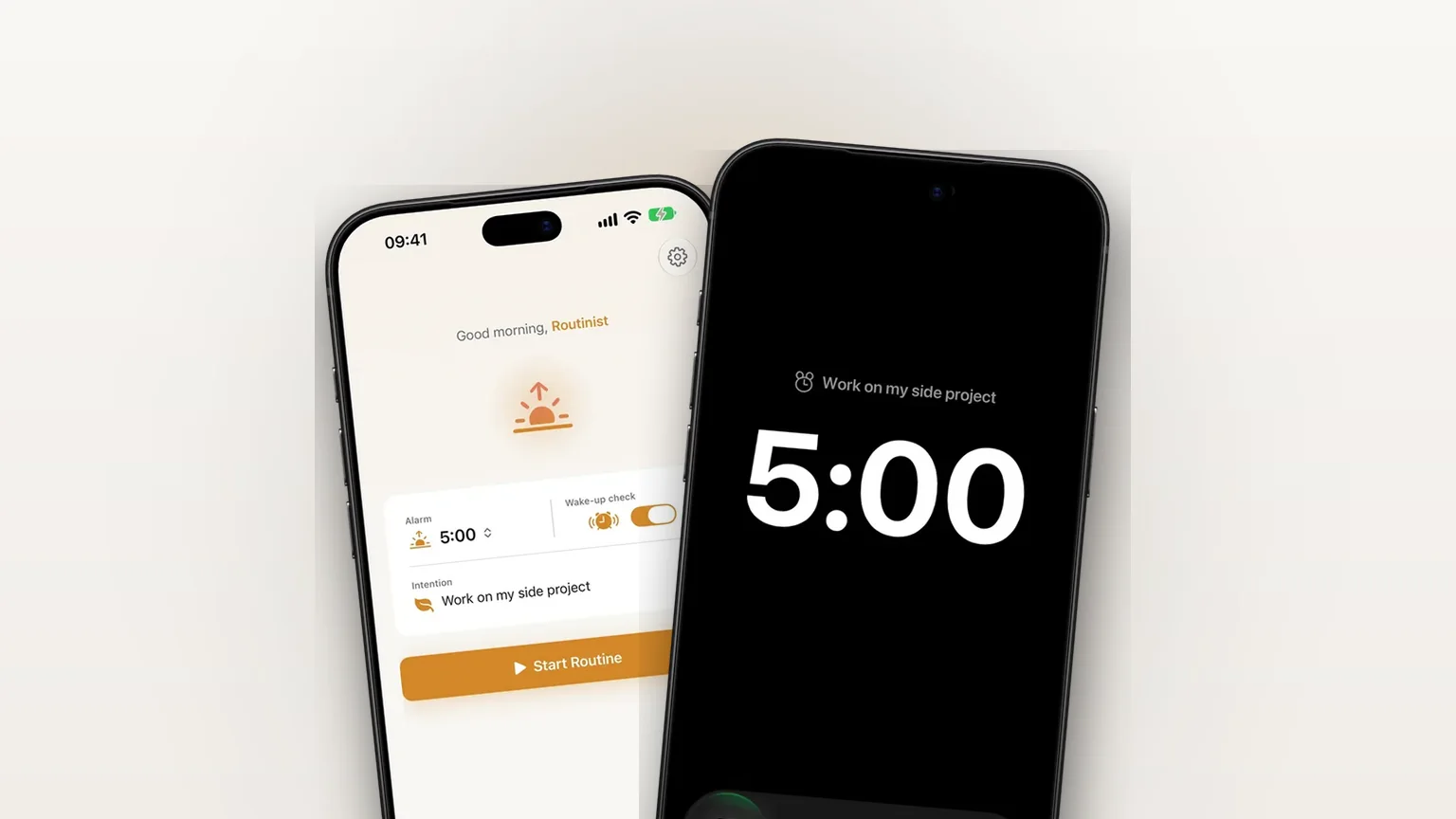
The built-in Clock app is a capable alarm app, and for a plain alarm it is enough. Rise adds what happens around the ring. The alert carries your own intention as its title ("Work on my side project" instead of "Alarm"), and stopping it opens the app on your morning session. An optional second alarm checks that you did not fall back asleep. The ring itself is a real system alarm, not a notification.

How it works in the app
- During onboarding, Rise asks for permission to schedule alarms. Tap allow. If you decline, Rise shows what the alarm would look like and offers Open Settings, or you can carry on without alarms and turn them on later.
- Tap Ring me in 1 minute and lock your phone. A one-time test alarm rings a minute later, titled with your intention, so you hear the real thing before tomorrow. The test is optional. Then pick your wake time for tomorrow.
- On the Home screen, tap the time in the Alarm card to open a wheel and change it. Rise reschedules half a second after you stop scrolling.
- Type a line in the Intention field. It becomes the alarm title. Left empty, the title is "Time to rise".
- When the alarm rings, slide to stop. Rise opens and takes you into your morning session, as long as the stop happened within 45 minutes. If you open Rise yourself within that window, it treats that the same way.
The alarm repeats every day of the week. Rise also checks on every launch that the alarm still exists and recreates it if it is missing, and it removes stray alarms it no longer knows about. The old alarm is cancelled only after the new one is scheduled, so a failed change never leaves you with none.
If you tend to switch alarms off half asleep, read how to stop turning off your alarm in your sleep.
Every option
| Setting | Choices | Where | Needs Rise Pro |
|---|---|---|---|
| Alarm on or off | Toggle | Settings, Alarm enabled | No |
| Time | Any hour and minute | Home card or Settings, Time | No |
| Sound | Default, Chime, Retro, Robot, Vibe (5) | Settings, Sound | No |
| Intention (alarm title) | Your own text | Home card | No |
| Snooze | 5 to 30 minutes in steps of 5, default 10 | Home, snooze slider | No |
| Verify I'm awake | Toggle, rings "Are you still up?" | Settings or Home | Yes |
| Check after | 5, 10 or 20 minutes | Settings | Yes |
Alarms are the free part of Rise. Focus sessions, the streak and the wake-up check need Pro.
Snooze lives on Home
The alert itself has no snooze button. Instead, a snooze card appears on Home for 30 minutes after your alarm time. Drag the slider, tap Snooze, and Rise schedules one more alarm at that moment with the same sound and title. The card then shows the time and a Cancel button. Starting your morning session cancels a pending snooze. If you want to stop relying on snooze, read how to stop snoozing your alarm.
The wake-up check
With Verify I'm awake on, Rise keeps one extra alarm ready, 5, 10 or 20 minutes after your wake time. Starting your session moves it to tomorrow, so it only rings if you went back to sleep. A pending snooze pushes it back behind the snooze. The reasoning is in how not to fall back asleep after your alarm.

When it is the right tool
Your phone lives on Silent
If the switch is on Silent all day and you worry a quiet phone means a quiet alarm, a system alarm removes that worry. Run the onboarding test once to hear it.
You use Focus or Do Not Disturb at night
A sleep or night Focus silences notifications, but the alarm is meant to break through the current Focus, as Apple describes it. Pair it with an evening Wind Down if you want a routine that ends the night.
You want a reason, not just a noise
Seeing "Work on my side project" on a dark Lock Screen gives the first second of the day a purpose. Change the line whenever your goal changes.
You tend to go back to sleep
Turn on the wake-up check at 10 minutes. If you stopped the alarm and then lay back down, "Are you still up?" rings.
You want one alarm without clutter
Rise keeps a single daily morning alarm plus its helpers. That suits one routine. See the limits if you need more.
Limits
- One alarm. Rise manages a single morning alarm, with no list of alarms and no labels beyond your intention.
- Every day. The schedule repeats on all seven days. The code has no per-weekday choice, so turn the alarm off in Settings for days you do not want it.
- iOS 26.2 or later. That is the app's deployment target. AlarmKit arrived with iOS 26, which Apple released on 15 September 2025.
- Permission required. Without alarm permission, nothing is scheduled. You can still use the rest of the app.
- No snooze on the alert. Snooze is the Home card, so stop the alarm first, then open Rise.
- Alarms only. Apple says alarms are not a replacement for critical alerts or time-sensitive notifications. Rise uses the alarm for your wake time and nothing else.
Frequently asked questions
Does my alarm ring on Silent on iPhone?
A Rise alarm does. Rise uses Apple's AlarmKit, and Apple says in its developer session that an alarm breaks through silent mode and the current Focus. Run the one-minute test alarm in onboarding to hear it on your phone.
Will my alarm ring on Silent on iPhone 17?
Rise needs iOS 26.2 or later, which an iPhone 17 meets. The ring does not depend on the phone model. It depends on the alarm being scheduled through AlarmKit and permission being granted.
Why is my alarm not ringing on Silent mode?
In Rise, first check that alarm permission is allowed in iPhone Settings and that Alarm enabled is on. The app also recreates a missing alarm each time you open it, so open Rise once.
Does Rise have a snooze button on the alarm?
No. After the alarm you get a snooze card on Home for 30 minutes, with a slider from 5 to 30 minutes in steps of 5. It schedules one extra alarm and you can cancel it.
Is the Rise alarm free?
Yes, alarms are free: time, sound, intention and snooze. The wake-up check, focus sessions and streak need Rise Pro. A free trial covers all of them, and one free morning lets you try a single focus session.
Can I set different alarm times for different days?
Not yet. Rise keeps one alarm that repeats every day. You can switch it off in Settings or change its time from the Home card.
Sources
Hear it before tomorrow
Get Rise on the App StoreMore features
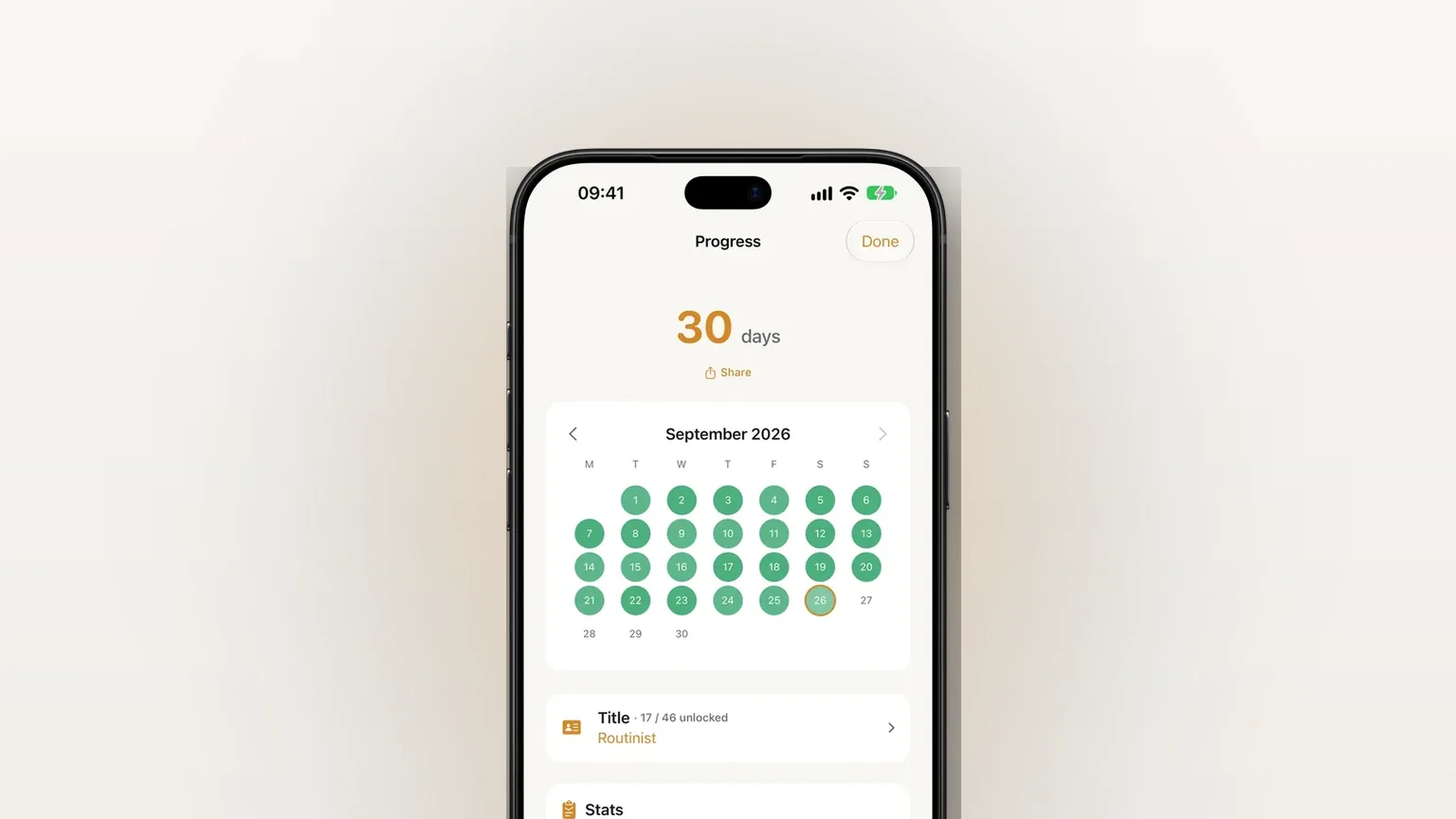
Log your wake-up time and mindful minutes in Apple Health
Rise Pro saves your wake-up time and each finished focus session of 5 minutes or more to Apple Health as mindful minutes.
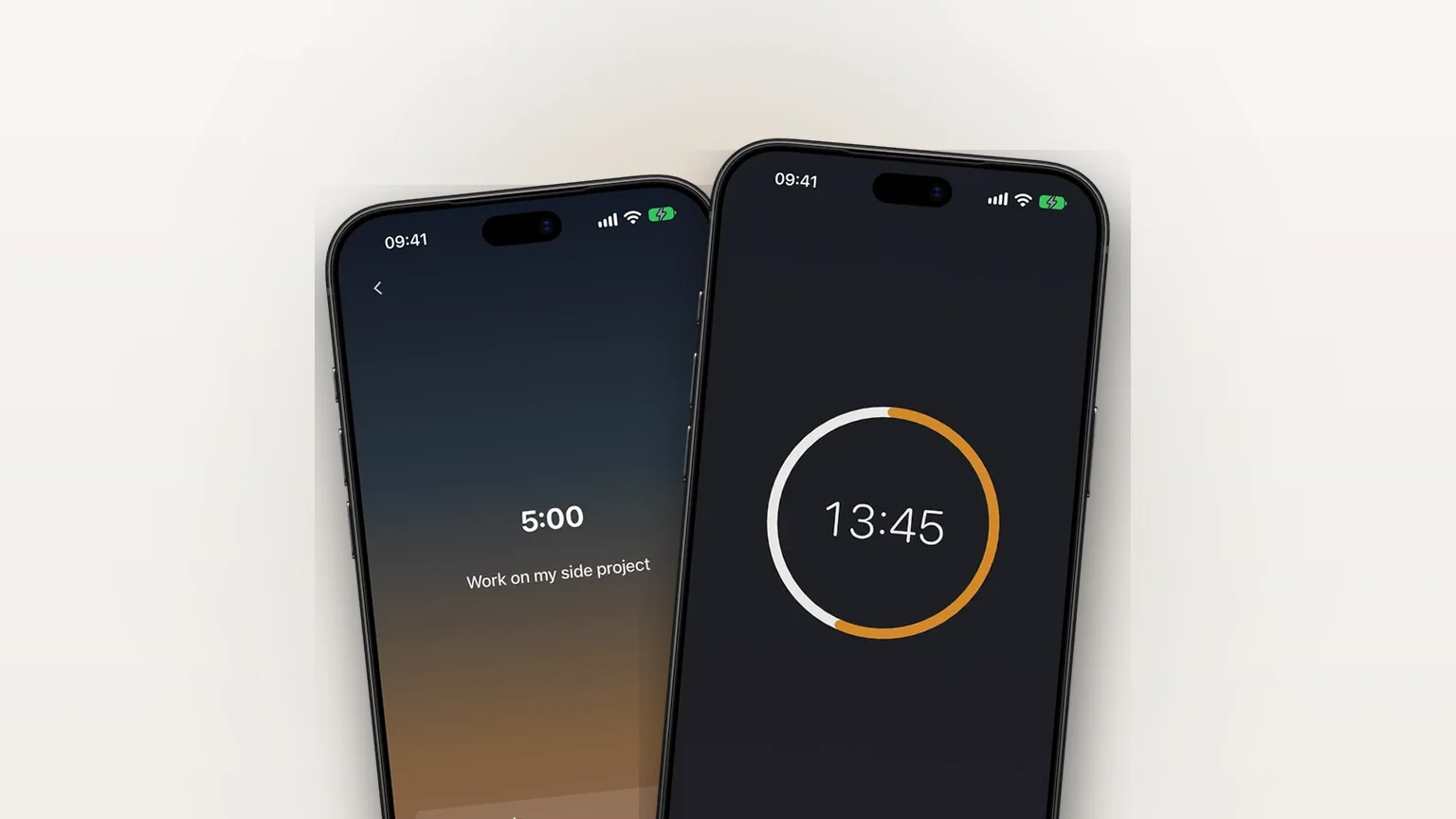
A morning focus session that starts when your alarm stops
A focus timer that opens right after your alarm, 5 to 120 minutes in steps of 5, also available any time with Focus now.
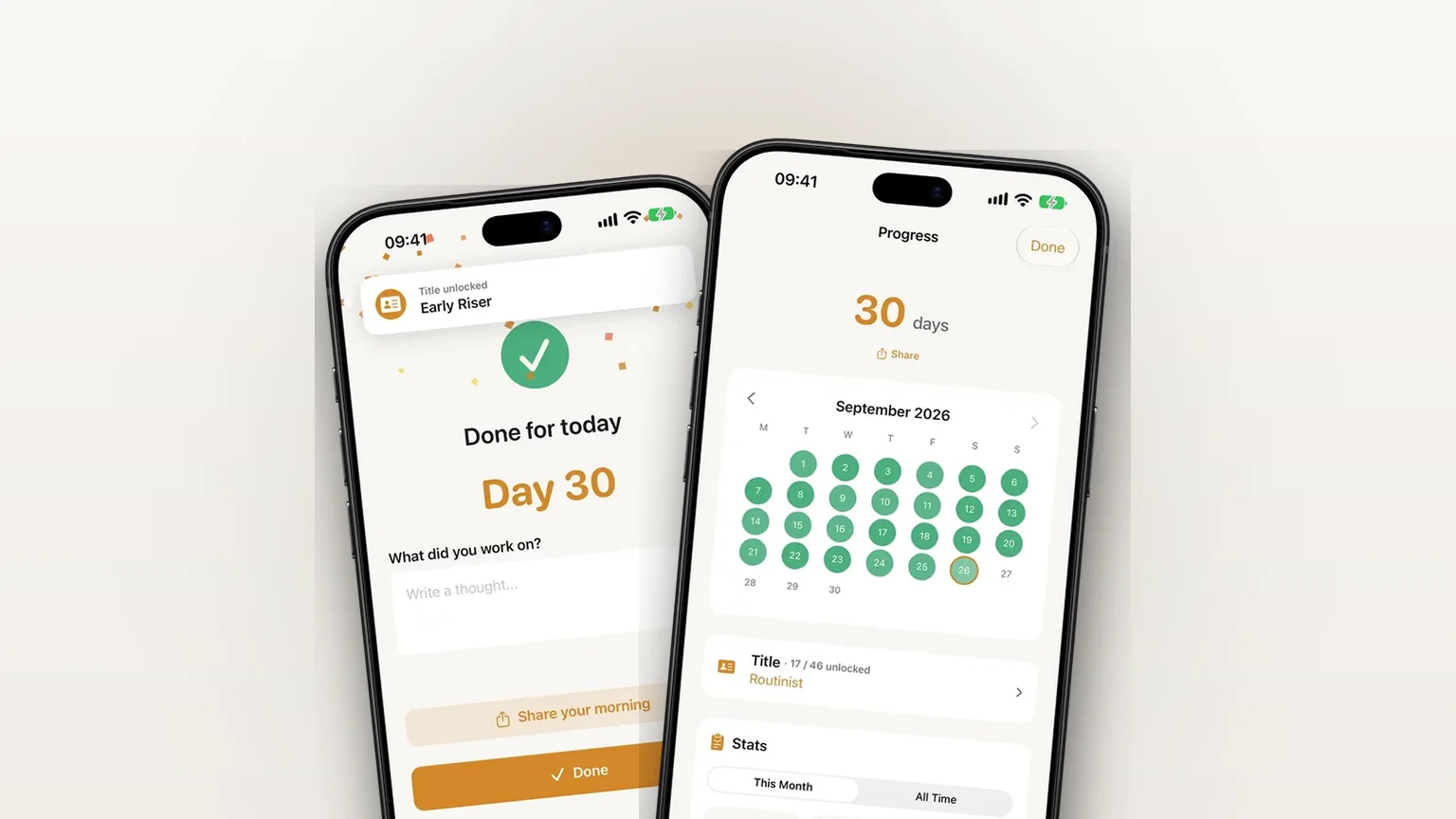
iCloud backup for your settings, streak and journal
Your settings, streak and journal back up privately to your own iCloud, free, and restore in one tap on a new iPhone.