Log your wake-up time and mindful minutes in Apple Health
With Rise Pro, starting your morning routine saves a wake-up marker to Apple Health, and each finished focus session of 5 minutes or more is saved as mindful minutes. This page covers how to turn it on, exactly when Rise writes, and the limits.
 Rise is an iPhone appPoint your iPhone camera at the code to install it.
or text me the link
Rise is an iPhone appPoint your iPhone camera at the code to install it.
or text me the link
What Apple Health sync does
Rise Pro writes two things to the Health app on your iPhone: a one-minute Awake entry at the moment you start your morning routine, and a mindful session for every focus session you finish that lasts at least 5 minutes. Both are written, never read. Rise does not pull anything out of Health.
The built-in Clock app is a solid alarm, and it rings reliably on the days you choose. What it does not do is log the focus time that follows the alarm to Health, or tie a wake-up marker to the moment you start your routine. Rise ties both to what you did, not to when the alarm sounded. Rise's sessions are saved as standard mindful sessions, so they join whatever else you already log in Health.
How it works in the app
- Open Settings and find Data & Privacy. The Apple Health sync row is there when the device supports Health.
- Switch it on. On a free account the row shows a Pro badge, and tapping it opens the paywall instead.
- iOS shows its own Health permission sheet. Rise asks only to write Sleep and Mindful Sessions. Allow both.
- When your alarm rings, stop it and tap Start Routine. Inside your morning window, Rise saves the wake-up entry at that moment.
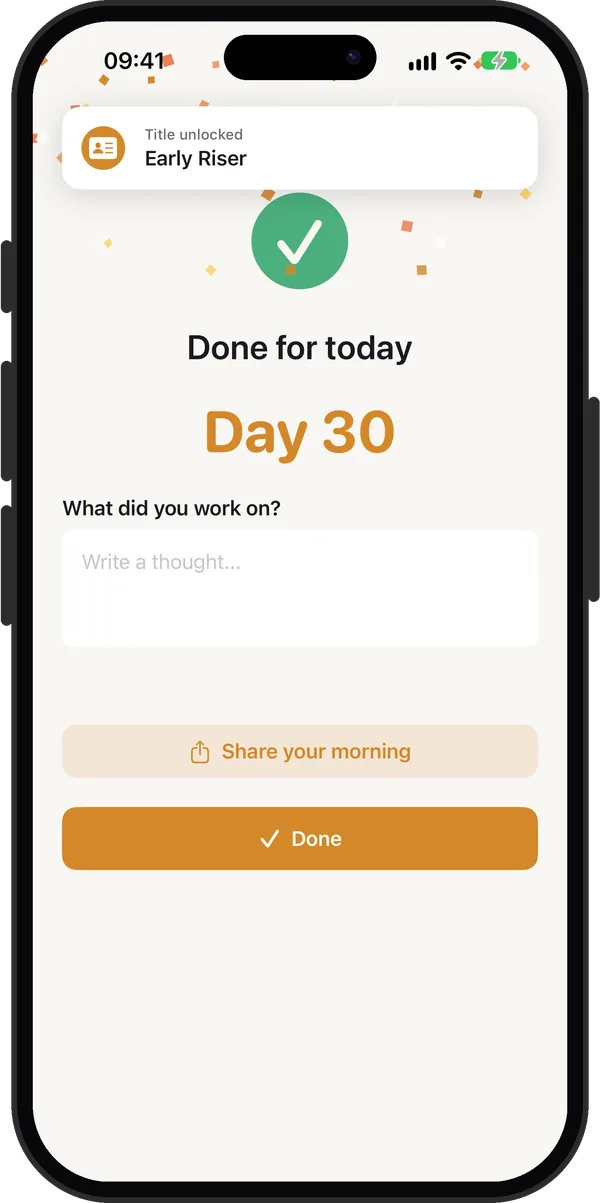
- Finish the focus timer. On the completion screen Rise saves the session to Health, starting at the time the timer began and lasting as many minutes as the session ran.
You can also meet this feature in the flow. After a finished session, if you have Pro, Health is available, Health is not yet on and your streak is 1 or less, Rise opens a sheet called Track your mornings in Apple Health with Allow Health Access and Not now. If you allow it, Rise saves that session straight away, including the wake-up entry.

Every option
There is one switch and a few rules around it.
| Part | What it does | Needs Rise Pro |
|---|---|---|
| Apple Health sync toggle | Asks iOS for permission to write Sleep and Mindful Sessions | Yes |
| Wake-up entry | One minute, type Awake, saved when you tap Start Routine in your morning window, or when you allow access from the first-run sheet | Written only once Health access is on |
| Mindful session | Saved when a session of 5+ minutes finishes, at any time of day | Yes |
| First-run sheet | Offers Health access after a finished session while your streak is 1 or less | Yes |
What counts as your morning window
When you tap Start Routine, the wake-up entry is saved only inside the window. That is 04:00 to 12:00 every day. If your Rise alarm is on, the window also runs from 2 hours before the alarm to 6 hours after it, so an early or late alarm still counts. A Start focus session at 15:00 or 01:00 is not a wake-up, and Rise does not write one from that button. One exception: if you grant Health access from the first-run sheet, Rise saves a wake-up entry for that session at the time you tapped Start, whatever the hour.
Turning it off
Switching the toggle off in Rise does not remove access itself. Rise shows an alert that says to open the Health app, then your profile, then Apps, then Rise, where you revoke it. The alert has an Open Settings button that jumps to Health. Apple confirms you can view which apps have access and change what you share at any time.
When it is the right tool
You already review your habits in Health
If Health is where you look at sleep and mindfulness, Rise's sessions show up beside your other data without a second app to check.
You want proof your mornings are consistent
A wake-up entry on each day gives you a record of when you started, separate from when the alarm rang. Pair it with the streak calendar for the same pattern inside Rise.
You count focus time as mindful time
Each focus session of 5 minutes or more is saved, so a 25 minute session adds 25 minutes. This suits you if you use the time to sit with one task or to think quietly.
You change your alarm time
Because the morning window follows your alarm, a shifted wake-up time still gets logged. Read how to wake up early if you are moving it earlier.
Limits
- Write only. Rise asks for no Health read access, so it cannot show your sleep or your Health history inside the app.
- A marker, not a night of sleep. The wake-up entry lasts one minute. Rise does not record when you fell asleep, sleep stages or heart rate.
- Short sessions are skipped. A session under 5 minutes is not saved as mindful minutes.
- No backfill. Rise writes at the moment of the session. Turning Health on later does not add earlier days. Only the session you just finished is saved when you allow access from the first-run sheet.
- Pro to set it up. The toggle is locked on a free account, and the mindful session is saved only on a Pro account. The alarm itself stays free.
- Revoking happens in Health. Rise cannot withdraw its own access.
Rise needs a device where Health data is available, otherwise the row does not appear. Apple lists iOS 27.2 as its latest release, dated 26 October 2026, and Rise runs on iOS 26.2 or later.
Frequently asked questions
What apps add mindful minutes to Apple Health?
Any mindfulness or meditation app you allow can save mindful minutes to the Mindfulness category in Health. Rise Pro adds a mindful session for every focus session of 5 minutes or longer, once you switch on Apple Health sync in Settings.
Can I log my wake-up time in Apple Health?
With Rise Pro, yes. When you tap Start Routine inside your morning window, Rise saves a one-minute Awake entry at that moment. The window is 04:00 to 12:00, plus 2 hours before to 6 hours after your Rise alarm.
Does Rise read my sleep data from Health?
No. Rise asks only to write Sleep and Mindful Sessions, and it requests no read access. It does not show your Health data inside the app.
Why are my focus sessions not showing as mindful minutes?
Check that Apple Health sync is on in Settings under Data & Privacy, that you have Pro and that the session ran at least 5 minutes. Rise needs both Sleep and Mindful Minutes allowed; if Sleep is off, it writes nothing. You can confirm both in the Health app under your profile, Apps, Rise.
How do I stop Rise writing to Apple Health?
Open the Health app, tap your profile, then Apps, then Rise, and turn off the data types. Switching the toggle off in Rise only shows an alert pointing you to those steps.
Sources
Log your mornings in Health
Get Rise on the App StoreMore features
A morning focus session that starts when your alarm stops
A focus timer that opens right after your alarm, 5 to 120 minutes in steps of 5, also available any time with Focus now.
iCloud backup for your settings, streak and journal
Your settings, streak and journal back up privately to your own iCloud, free, and restore in one tap on a new iPhone.
Alarm and streak widgets, plus a focus timer in the Dynamic Island
Streak and Next Alarm widgets, a focus timer in the Dynamic Island and on the Lock Screen, and a Start Routine control.